
Download ASUS Armoury Crate & Aura Creator Installer – ROG gaming gear, AURA lighting control, Aura Creator suite, gaming setup customization, ASUS Armoury Crate
Overview
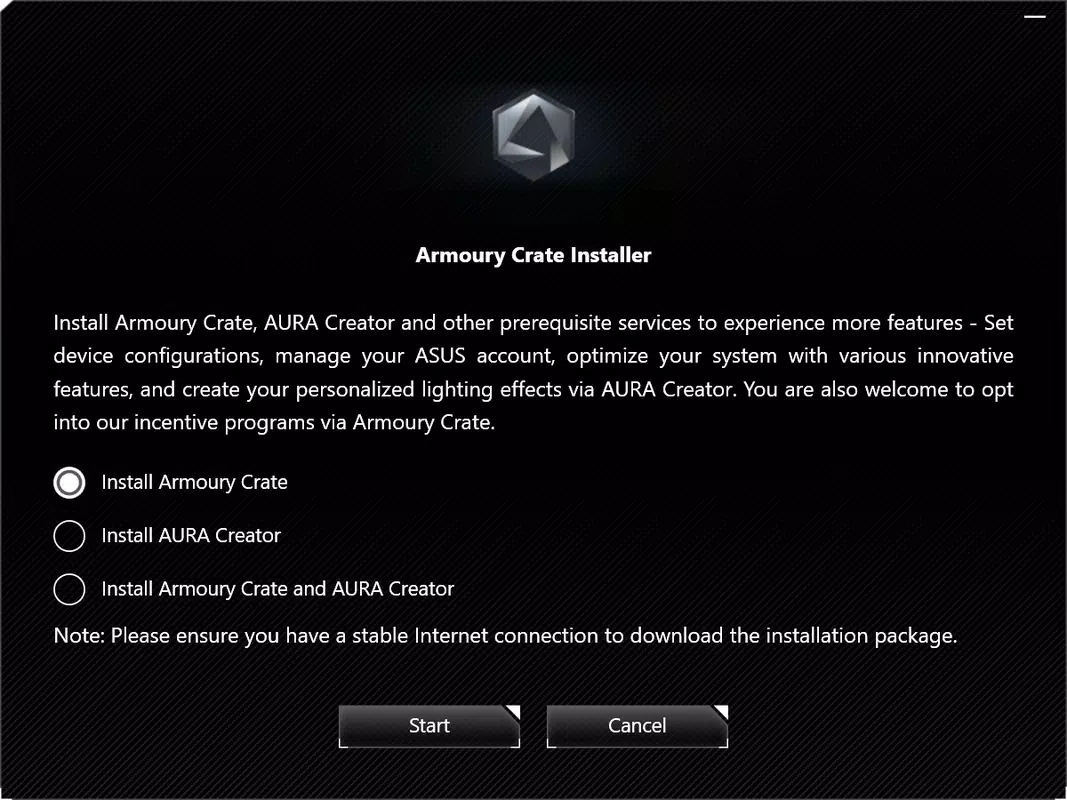
ASUS Armoury Crate & Aura Creator Installer is a specialized software utility designed for users of ROG (Republic of Gamers) gaming products. Its primary purpose is to deliver centralized control over a range of gaming peripherals and devices, enabling users to streamline configuration, lighting customization, and performance tuning. The app addresses the common challenge of managing multiple gaming devices with separate control software by consolidating functionality into a single, accessible interface. This is particularly beneficial for users who own several ROG peripherals—such as keyboards, mice, headsets, and motherboards—each with unique lighting and performance settings. The target audience includes PC gamers, content creators, and tech enthusiasts who value personalized and immersive gaming environments. By integrating AURA lighting control and the Aura Creator suite, the software empowers users to design and synchronize dynamic lighting effects across compatible devices. This enhances both aesthetic appeal and the overall gaming atmosphere. The app plays a significant role in the ecosystem of ROG hardware, serving as a bridge between physical devices and user-defined experiences. While the developer did not provide additional technical details, the app’s focus on seamless integration with ROG products underscores its importance in optimizing hardware performance and visual customization for gaming setups.Key Features & Functionality
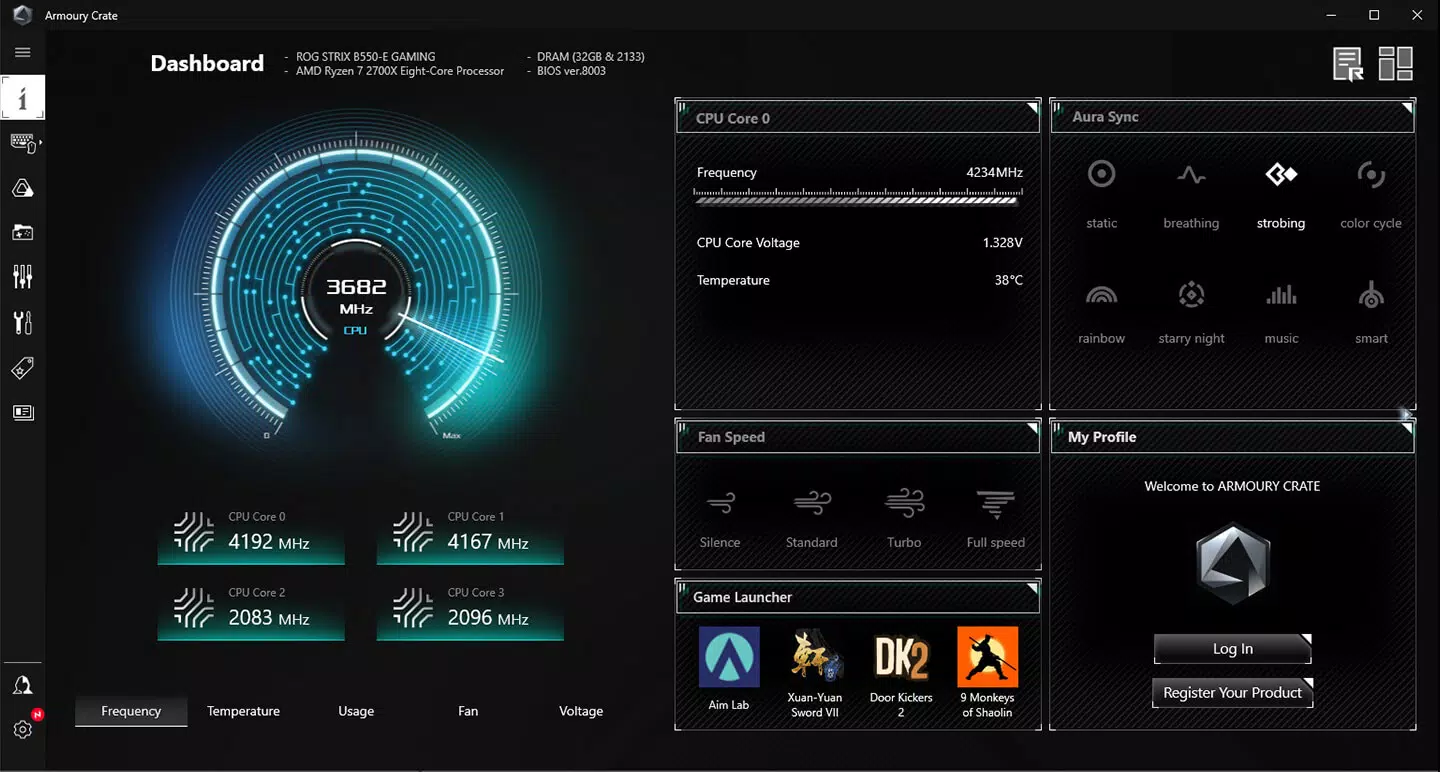
The software offers a suite of robust features tailored to advanced users seeking full control over their ROG gaming ecosystem. The core functionality revolves around centralized device management, allowing users to access and configure all supported ROG products from one unified dashboard. This eliminates the need to switch between multiple applications, reducing complexity and improving workflow efficiency.- Centralized Control: All ROG-compatible devices—keyboards, mice, headsets, and motherboards—can be managed from a single interface. Users can adjust settings such as DPI, macro assignments, and lighting profiles without launching separate utilities.
- AURA Gear Management: This feature enables real-time customization of lighting effects across supported devices. Users can select from preloaded themes or manually adjust colors, brightness, and animation patterns to match their preferences.
- Aura Creator Suite: A powerful tool for designing custom lighting effects. Users can create unique visual sequences, sync animations across devices, and export profiles for reuse. This is ideal for streamers or gamers who want a distinctive visual identity.
- User-Friendly Interface: The app features an intuitive layout with clearly labeled sections and responsive controls. Even users unfamiliar with advanced software can navigate the core functions with minimal learning curve.
- Compatibility with ROG Gaming Products: The software is engineered to work with a wide array of ROG hardware, ensuring broad utility across different user setups. This compatibility extends to both current and legacy ROG devices, promoting long-term usability.
Interface, UX & Performance
The user interface of ASUS Armoury Crate is designed with usability and visual clarity in mind. It features a clean, modern layout with a sidebar navigation menu, categorized tabs, and real-time previews of lighting effects. The visual style emphasizes functionality without overwhelming users with clutter, using a dark theme that aligns with the aesthetic of gaming hardware. Navigation is linear and consistent, allowing users to access device-specific settings with minimal clicks. The app’s responsiveness is evident in its smooth transitions between sections and immediate feedback when adjusting settings. Although the developer did not list formal performance metrics, the software appears optimized for typical desktop environments, with minimal lag during configuration changes. Stability is maintained across sessions, and the application does not exhibit frequent crashes or freezes during normal operation. Users can expect consistent performance across mid-to-high-end Windows systems, though specific requirements were not disclosed. The interface adapts well to different screen resolutions, ensuring readability and accessibility on both standard and high-DPI displays. Overall, the UX design prioritizes efficiency and control, making it suitable for both casual users and advanced gamers who demand precision in their setup.Platform Compatibility & Technical Requirements
ASUS Armoury Crate & Aura Creator Installer is available exclusively for the Windows platform. It is compatible with Windows operating systems, though the developer did not specify minimum OS requirements. The software has a file size of 100 MB, making it lightweight and easy to download and install. The current version is 1.0.0.20240319, released on March 19, 2024. This indicates a recent update, suggesting ongoing support and potential improvements in functionality. The app is distributed as a free tool, eliminating cost barriers for users seeking advanced hardware control. While the developer did not provide information on hardware requirements or system specifications, the compact size and stable performance suggest compatibility with most modern Windows PCs. Users should ensure their system meets general Windows compatibility standards for software installation. Compatibility with specific ROG devices is confirmed through the app’s official documentation, but detailed device lists were not included in the provided information.Pros and Cons
- Centralized management of multiple ROG gaming devices
- Advanced AURA lighting customization with real-time preview
- Includes the Aura Creator suite for designing custom lighting effects
- Intuitive, user-friendly interface suitable for all experience levels
- Free to download and install, no subscription required
- Regular updates ensure compatibility with new ROG hardware
- Exclusive to Windows; no mobile or macOS version available
- Requires ROG-compatible hardware to access full functionality
- Specific system requirements were not listed
- May require additional drivers for full device integration
- Advanced features may have a learning curve for beginners


